12:00:00
Limited-Time Sale:Save up to 41% per credit on IMG2Excel credit packs
Save 41%Save up to 41% per credit
Convert handwriting to Excel online from a clear photo or scan. IMG2Excel uses handwriting OCR to recognize handwritten tables, notes, logs, and forms and organize them into an editable XLSX spreadsheet.

Drag & drop your image here
Supports PNG, JPG, WebP, HEIC, and HEIF images up to 10MB
See how handwriting OCR turns handwritten records into structured spreadsheet rows and columns you can review and edit.
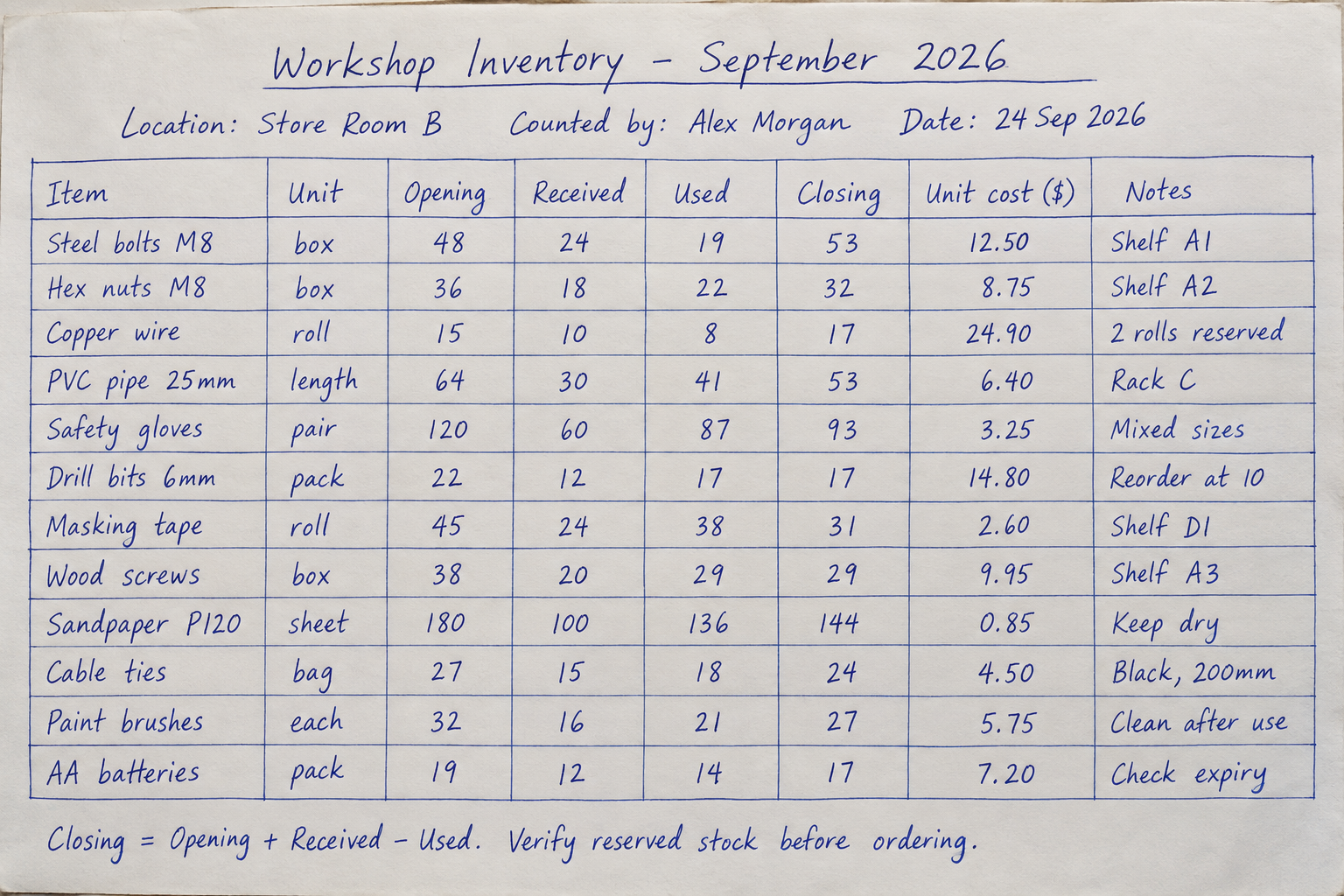
Choose a clear photo or scan containing handwritten tables, rows, columns, labels, numbers, or notes.
For better results, keep the page flat, well lit, in focus, and fully visible.
IMG2Excel applies handwriting OCR and detects the table structure in the uploaded image.
The recognized content is organized into spreadsheet cells so you can check the extracted rows and columns.
Preview the result, then download an editable XLSX file for Excel, Google Sheets, or another spreadsheet app.
Review important names, figures, and formulas before using the data in your workflow.
Convert handwritten tables and records into spreadsheet rows and columns without retyping every cell.
Recognize handwritten words, labels, dates, and numbers in clear photos and scans before organizing them for Excel.
Detect visible table structure and organize recognized content into spreadsheet rows and columns.
Inspect the converted handwritten table before downloading and retry the conversion when needed.
Convert one handwritten page or process multiple handwritten images in a batch after signing in.
Download editable XLSX output for Microsoft Excel, Google Sheets, Numbers, or compatible spreadsheet software.
Convert handwritten business, study, research, and administrative records through the existing IMG2Excel workflow.
Practical guidance for getting cleaner spreadsheet results from handwritten pages.
Yes. IMG2Excel uses handwriting OCR to recognize text, numbers, and labels, then attempts to organize them into spreadsheet rows and columns. Instead of returning only plain text, it produces an editable XLSX file you can open in Excel or import into a compatible spreadsheet app.
You can upload clear photos or scans of handwritten tables, inventory sheets, field logs, attendance records, research notes, checklists, and similar structured pages.
A visible row-and-column layout produces the most predictable spreadsheet structure. The converter can also attempt to organize table-like handwritten content, but unstructured notes may require more review.
Use a sharp, well-lit image, keep the camera parallel to the page, avoid shadows, and make sure the handwriting and table borders are not cut off. Clear characters and a visible table structure make the result easier to organize into Excel cells.
Yes. After conversion, you can preview the extracted sheets and inspect the recognized rows and columns before downloading the XLSX file.
Recognition quality depends on handwriting clarity, image quality, page angle, and table layout. Always review important names, figures, dates, and formulas before using the converted spreadsheet.
The existing IMG2Excel converter accepts PNG, JPG, JPEG, WebP, HEIC, and HEIF images up to the displayed upload limit.
Yes. Signed-in users can use batch mode to upload and convert multiple handwritten images in one workflow, subject to the current batch and credit limits.
